
How to Program Tpms Sensors on a Toyota
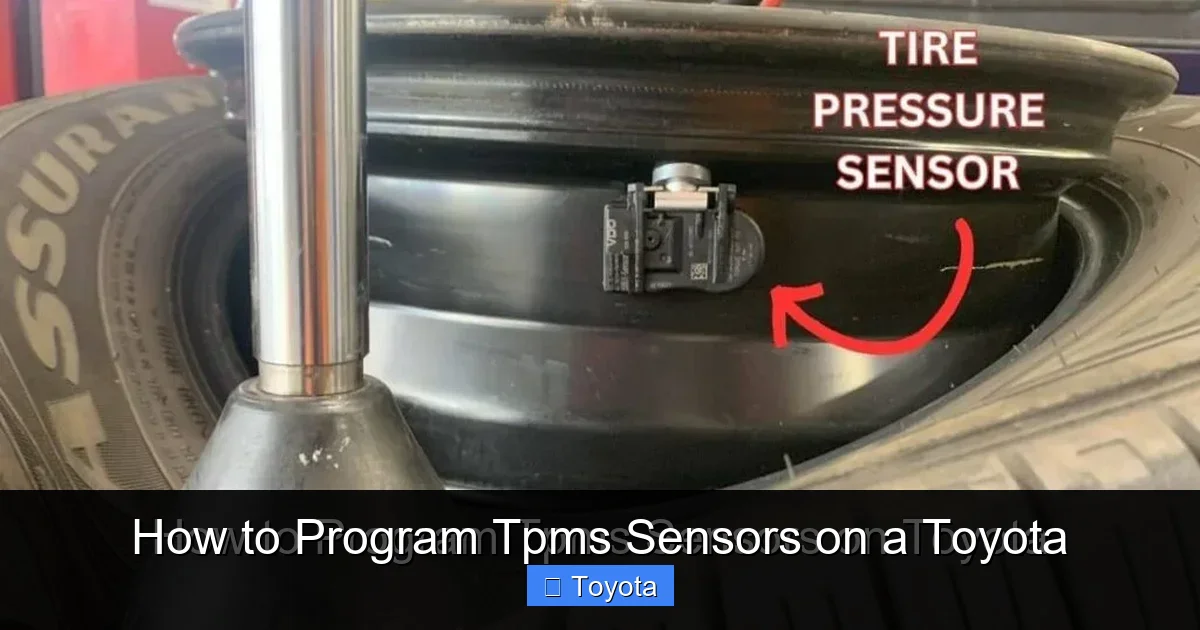
Programming TPMS sensors on a Toyota is a simple DIY task that restores accurate tire pressure warnings. You’ll need the keyfob, the vehicle’s diagnostic system, and a few minutes for each wheel. Follow the step‑by‑step guide below to avoid false alerts and keep your car safe.
Key Takeaways
- Point 1: TPMS sensors monitor tire pressure and improve safety, fuel economy, and tire life.
- Point 2: Toyota uses a standardized programming sequence that can be done with a keyfob and the diagnostic menu.
- Point 3: Preparing the right tools—like a working keyfob, the OBD‑II connector, and the manufacturer’s guide—makes the job smoother.
- Point 4: Each wheel must be programmed individually; skipping a sensor leads to inaccurate readings.
- Point 5: Common issues such as dead batteries or interference can be diagnosed quickly with basic tests.
- Point 6: After programming, a test drive confirms that warning lights behave correctly.
📑 Table of Contents
Why Programming TPMS Sensors Matters
Every modern Toyota comes equipped with a Tire Pressure Monitoring System (TPMS). This system alerts you when any tire is under‑inflated, helping you avoid dangerous blowouts and improve fuel efficiency. Over time, TPMS sensors can lose their programming, causing false warnings or no warnings at all. By learning how to program TPMS sensors on a Toyota, you regain control over your vehicle’s safety net without paying a dealership fee.
In this guide we’ll walk you through the entire process, from checking which sensor is failing (see How To Tell Which Tpms Sensor Is Bad On A Toyota) to resetting each wheel and confirming the system works. We’ll keep the language simple, the steps short, and the tips practical so you can finish the job in under an hour.
Understanding TPMS in Toyota Vehicles
What Is TPMS and How Does It Work?
TPMS stands for Tire Pressure Monitoring System. It uses small sensors mounted inside each tire that send pressure data to the vehicle’s computer. When pressure drops about 25% below the manufacturer’s recommended level, the system triggers a dashboard warning. There are two types of TPMS: direct (sensor in tire) and indirect (uses ABS wheel speed data). Toyota models mainly use direct TPMS, which is why you need to program the actual sensors.
The sensors are low‑power, battery‑powered devices that communicate wirelessly with the car’s control module. Because they are battery‑operated, they can lose their programming if the battery dies or if the vehicle’s computer resets (e.g., after a dead battery). Programming refreshes the sensor ID and re‑links it to the car.
Why You Might Need to Reprogram
Common reasons to reprogram TPMS sensors include:
- A dead battery in a sensor causing a “sensor failed” warning.
- Replacing a tire or wheel, which requires a new sensor ID.
- Performing a vehicle reset after maintenance.
- Installing aftermarket wheels that need sensor synchronization.
Knowing which sensor is bad can save time. The article How To Tell Which Tpms Sensor Is Bad On A Toyota gives visual cues and diagnostic steps to isolate the problem before you begin programming.
Preparing Tools and Information
Essential Items You’ll Need
Before you start, gather these items:
- A working Toyota keyfob (the one that controls the ignition and often contains the TPMS programming function).
- A fully charged vehicle battery (or a battery charger if the battery is low).
- The OBD‑II diagnostic connector (usually located under the driver’s side dash).
- A reliable TPMS programming tool or a generic scanner that supports Toyota models.
- The vehicle’s service manual or a programming guide PDF (often found online).
- Safety glasses and a clean cloth for handling sensors.
If you don’t have a dedicated TPMS tool, many generic scanners can perform the programming. For a quick, tool‑free method, the guide How To Activate A New Toyota TpMS Sensor Without A Tool walks you through a simple keyfob sequence that works for many newer Toyotas.
Checking the Vehicle’s Diagnostic System
Make sure the vehicle’s infotainment system is off, the doors are closed, and the key is in the “ON” position (but the engine is off). Insert the OBD‑II connector and turn the ignition on. The dashboard should display “Engine Check” or similar. Using your scanner, navigate to the TPMS menu. If the system shows “All sensors detected,” you’re ready to begin programming.
If the scanner does not list the sensors, you may need to perform a “sensor activation” step first. This is where the tool‑free method from the linked article becomes handy. Follow those steps to re‑establish communication before you proceed with full programming.
Step‑by‑Step Programming for Each Wheel
Programming the Driver’s Side Front Wheel
1. Sit in the driver’s seat and turn the ignition key to the “ON” position. Do not start the engine.
2. Locate the TPMS reset button on the dashboard (often labeled “TPMS” or shown as a tire icon). Press and hold it for about 5 seconds until the tire pressure warning light blinks.
3. Using your OBD‑II scanner, select “Program New Sensor” and choose “Driver’s Front.” Enter the sensor ID (usually found on the sensor’s battery cover). Confirm the entry.
4. The scanner will send a programming signal to the sensor. Wait for the confirmation beep or on‑screen message “Programming Complete.”
5. Turn the ignition off, then back on. The TPMS warning light should stay solid for a few seconds and then turn off, indicating successful programming.
Programming the Passenger Side Front Wheel
Repeat the same steps as above, but select “Passenger’s Front” on the scanner. Keep the keyfob near the steering wheel; some newer models require the keyfob to be within 6 inches of the dashboard during programming.
Programming the Rear Wheels
Rear wheel programming follows the identical sequence. Choose “Driver’s Rear” and “Passenger’s Rear” respectively. Some Toyota models require you to press the TPMS button twice—once for front wheels and once for rear wheels. Consult your service manual if the lights behave differently.
Final Verification
After all four sensors are programmed, start the engine and let it idle for 30 seconds. Watch the dashboard: the TPMS warning light should flash briefly and then remain off. If the light stays on, a sensor may not have been programmed correctly. In that case, repeat the last wheel’s steps.
For a quick check of tire pressure, you can also use the Toyota app (see How to check tire pressure on the Toyota app) to verify that the pressure readings match the sensor data. This app link provides a handy way to confirm that the TPMS is now displaying accurate information.
Common Issues and Troubleshooting
Sensor Battery Died
If a sensor’s battery is dead, the programming will not stick. Replace the battery (CR2032 type) and reprogram that wheel. The battery replacement is a quick fix and extends sensor life.
Interference from Other Devices
Some scanners or diagnostic tools can cause interference. Turn off any Bluetooth devices in the cab while programming. Keep the keyfob away from metal objects that could block the signal.
Why the Warning Light Stays On
A persistent warning light may indicate:
- Incorrect sensor ID entry.
- A faulty sensor that needs replacement.
- A damaged wiring harness in the wheel assembly.
Use a multimeter to test sensor resistance if you have one. If the sensor reads out of range, consider replacing it. For guidance on diagnosing a bad sensor, revisit the article How To Tell Which TpMS Sensor Is Bad On A Toyota.
Maintaining TPMS Sensors Over Time
Regular Checks
Check TPMS sensors every 12,000 miles or during routine oil changes. Use the Toyota app to view live pressure data. If any tire consistently reads low, investigate for leaks.
Battery Replacement
Most TPMS sensors last 5–7 years. When you notice a warning light that says “Sensor Battery Low,” replace the battery in all four sensors. This simple step prevents future programming headaches.
Software Updates
Toyota occasionally releases software updates for the TPMS module. Download the latest firmware from the official Toyota service portal and run the update through your scanner. Updated software improves sensor communication and reduces false alerts.
Conclusion
Programming TPMS sensors on a Toyota is a straightforward process that anyone with basic tools can master. By following the step‑by‑step guide above, you’ll eliminate false warnings, keep your tires properly inflated, and enjoy better fuel efficiency. Remember to keep a record of programming dates, replace sensor batteries as needed, and use the linked resources when you need extra help.
With a little patience and the right information, you’ll be confident handling TPMS maintenance without a trip to the dealership. Enjoy the peace of mind that comes with a fully functional Tire Pressure Monitoring System, and drive safely on every journey.
Frequently Asked Questions
Do I need a special tool to program Toyota TPMS sensors?
No. Many newer Toyotas can be programmed using just the keyfob and the vehicle’s built‑in diagnostic menu. If you have a generic OBD‑II scanner, it can also handle the job. For those who prefer a tool‑free approach, the article How To Activate A New Toyota TPMS Sensor Without A Tool walks you through a simple keyfob method.
What happens if I skip programming one wheel?
Skipping a wheel leaves that sensor out of sync, causing inaccurate pressure readings. The dashboard may show a constant warning or miss a low‑pressure alert, compromising safety and fuel economy. Always program all four wheels.
How often should I reprogram TPMS sensors?
Reprogramming is usually only needed after a sensor battery dies, a tire replacement, or a vehicle power loss. Routine checks every 12,000 miles help catch issues early, but full reprogramming is not required annually unless you notice warning lights.
Can I program TPMS sensors without the original keyfob?
Most Toyota models require the original keyfob for programming because it contains the vehicle’s encryption data. If you have a spare or duplicate keyfob, it works just as well. Without any keyfob, you’ll need a professional scanner or a dealership to complete the process.
Why is the TPMS warning light still on after programming?
A lingering warning light can indicate a dead sensor battery, a faulty sensor, or an incorrect sensor ID entry. Replace the battery, verify the sensor ID matches the wheel position, and re‑run the programming sequence. If the light persists, the sensor may need replacement.
Is it safe to drive with a TPMS warning light on?
Driving with the TPMS warning on is not ideal. You lose real‑time pressure alerts, which can lead to under‑inflation, reduced fuel efficiency, and increased risk of tire failure. Address the issue promptly by checking pressures and reprogramming or replacing sensors as needed.


