How to Program a Toyota Camry Key Fob
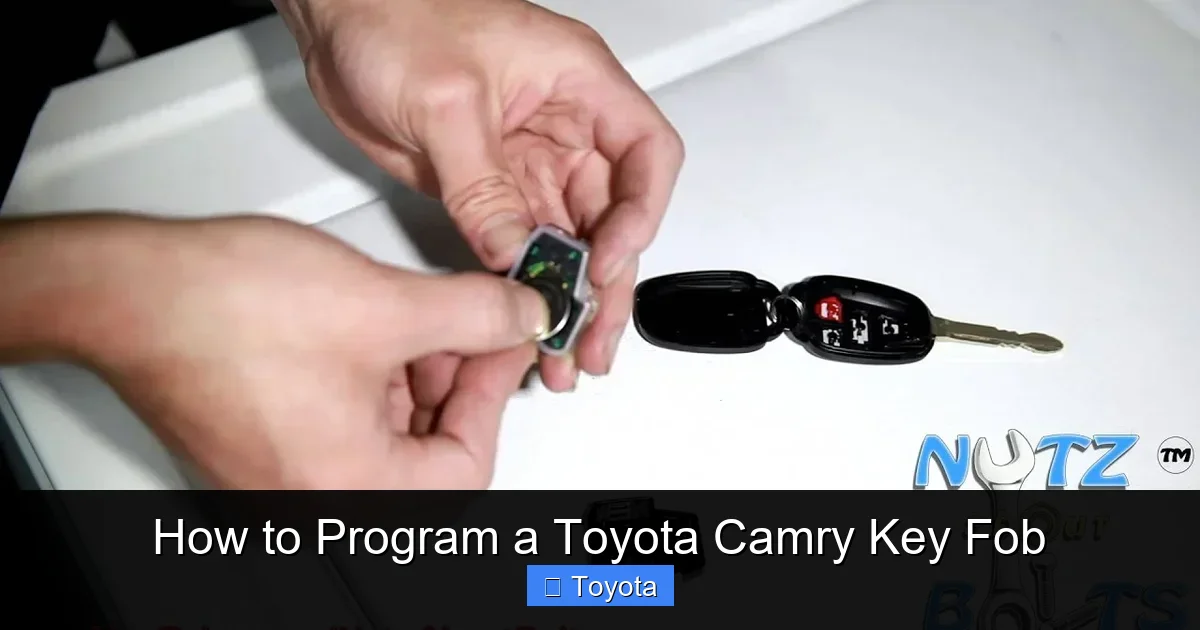
Programming a Toyota Camry key fob is often a DIY task you can complete in minutes. This guide walks you through the steps, tools, and troubleshooting tips you need to get your key fob working again.
How to Program a Toyota Camry Key Fob
Nothing ruins your morning like a Toyota Camry key fob that stops working. You walk up to your car, press the button, and nothing happens. The doors stay locked. The engine does not start. You might feel stuck, but you do not always need to call a dealer or a locksmith right away.
In many cases, you can program a Toyota Camry key fob yourself in your driveway. This process works for many model years, and it can save you time and money. Whether you bought a replacement fob, added a spare, or just need to sync a fob after a battery change, this guide will walk you through each step.
Before we begin, keep in mind that Toyota Camry key fob programming steps vary by year and trim. Some Camrys use a standard key fob with a physical key, while others use a smart key for push-button start. We will cover both types so you know exactly what to expect.
Key Takeaways
- Most Toyota Camry models support onboard key fob programming: You can often program a new or replacement key fob yourself without special tools.
- You need an existing working key: Most onboard programming methods require at least one already-programmed key to add a new fob.
- The process involves ignition cycles and door operations: Turning the key and opening or closing doors puts the car into programming mode.
- Smart keys and standard fobs have different steps: Know which type your Camry uses before you begin.
- Weak batteries are a common culprit: Replace the key fob battery if programming fails or range is poor.
- Professional help may be needed for lost keys: If all keys are lost, a locksmith or dealer with specialized equipment is usually required.
📑 Table of Contents
- Why You Might Need to Program Your Toyota Camry Key Fob
- Understanding Your Toyota Camry Key Fob Types
- What You Need Before You Start
- Step-by-Step: How to Program a Toyota Camry Key Fob
- Programming a Smart Key vs. Standard Key Fob
- Troubleshooting Common Programming Issues
- When to Call a Professional Locksmith or Dealer
- Tips to Keep Your Toyota Camry Key Fob Working
- Conclusion
Why You Might Need to Program Your Toyota Camry Key Fob
There are several reasons why a Toyota Camry key fob needs programming. The most common reason is buying a new or used replacement fob. A new fob does not come pre-programmed for your specific car. It needs to learn your vehicle’s signal before it can lock or unlock the doors.
You might also need to program a Toyota Camry key fob if you are adding a spare. Having an extra fob is smart in case you lose the original. Programming a spare at home means you do not have to pay for dealer labor.
Sometimes, a Toyota Camry key fob acts up after the car battery dies or after electrical work. In rare cases, the fob loses its sync with the vehicle’s immobilizer system. Reprogramming can restore the connection and get you back on the road.
If you bought a used Camry and it only came with one key, you may want a second Toyota Camry key fob for peace of mind. Adding a second fob is much easier when you already have a working master key. If you only have one key and it breaks, you will be in a much tougher spot.
If your fob simply has a weak battery, you might not need programming at all. Just replace the coin cell battery inside the fob. But if the fob still does not work after a fresh battery, programming is the next logical step.
Understanding Your Toyota Camry Key Fob Types
Not every Toyota Camry key fob looks the same. Older models and many base trims use a standard key fob. This type has buttons for lock, unlock, panic, and trunk, plus a physical metal key that slides out for manual entry.
Newer Camrys, especially higher trims, often come with a smart key. A smart key does not need to be inserted into the ignition. You keep it in your pocket or purse, and the car detects it when you press the start button. These fobs usually have no visible metal key blade.
Knowing your fob type matters because the programming steps are different. Standard fobs often support onboard programming. Smart keys usually require professional diagnostic tools. Check your owner’s manual or look at your fob to confirm which type you have.
What You Need Before You Start
You do not need expensive tools to program a Toyota Camry key fob. Most of the work uses items you already have. Here is a simple checklist to gather before you begin.
- An already programmed key: Most onboard programming methods require at least one working key or fob. This is often called the master key.
- The new Toyota Camry key fob: Make sure the replacement fob matches your car’s year, make, and model. Check the part number if possible.
- A fresh battery for the new fob: Install a new CR2032 or similar battery so the fob has full signal strength during programming.
- Your vehicle owner’s manual: Keep it nearby to confirm the exact steps for your Camry model year.
- About 15 to 30 minutes of time: Programming is quick, but you want to move through the steps without rushing.
If you do not have a working key at all, the onboard method may not work. In that case, you might need to program a Toyota key without a master key using a locksmith or dealer.
Step-by-Step: How to Program a Toyota Camry Key Fob
The following steps describe a common onboard programming method for many Toyota Camry models. Your exact steps may differ slightly based on your year and trim. Read each step carefully before you try it.
Step 1: Prepare Your Vehicle
Sit in the driver’s seat of your Toyota Camry. Close all doors, including the trunk. Make sure no keys are in the ignition. Have your working key and your new Toyota Camry key fob within reach.
It helps to turn off any interior lights or accessories that could distract you. You need to focus on timing, because Toyota programming modes often rely on short windows of a few seconds.
Step 2: Enter Programming Mode
Insert your working key into the ignition and remove it. Do this twice within five seconds. Do not turn the key. Just insert and remove it quickly.
Next, close and open the driver’s door twice. Then insert the key into the ignition and remove it one more time. Close and open the driver’s door twice again. Finally, insert the key into the ignition and turn it to the ON position, then turn it back to OFF. Remove the key.
If you did this correctly, the door locks should cycle automatically. This means your Toyota Camry is now in programming mode and ready to accept a new key fob signal.
Step 3: Program the Key Fob
Within 40 seconds of entering programming mode, press the lock and unlock buttons on your Toyota Camry key fob at the same time. Hold them for about one second, then release.
Immediately after that, press the lock button by itself and hold it for about two seconds. The door locks should cycle again to confirm that the fob has been programmed.
If you have more than one new Toyota Camry key fob to program, repeat the button sequence for each additional fob within the same programming session. You usually have a short window to add all fobs before the mode exits.
Step 4: Test the Key Fob
Open the driver’s door to exit programming mode. Step outside your Toyota Camry and close all doors. Press the lock and unlock buttons on your newly programmed key fob. The doors should respond immediately.
Try the panic button and trunk release if your fob has them. If everything works, your Toyota Camry key fob programming is complete. If nothing happens, repeat the steps or check the troubleshooting section below.
Programming a Smart Key vs. Standard Key Fob
Older Camrys and many LE or SE trims use a standard key fob with a physical metal key. These often support the onboard programming steps we just covered. You can usually do this in your driveway without help.
Newer Camrys, especially XLE and higher trims, may use a smart key system. With a smart key, you do not insert a key into the ignition. You just push a button to start the engine. Programming a smart key is more complex.
Most Toyota Camry smart keys cannot be programmed using the simple door-and-ignition method. They usually require specialized diagnostic tools that communicate with the car’s immobilizer. If you have a smart key and no working master key, you will likely need a professional.
Check your owner’s manual to see which type your Camry uses. If your key fob has no physical key blade and your car starts with a push button, treat it as a smart key.
Troubleshooting Common Programming Issues
Even when you follow the steps, a Toyota Camry key fob might not program on the first try. Here are common problems and how to fix them.
The Door Locks Do Not Cycle
If the locks do not cycle after your ignition sequence, you likely missed a timing window. Toyota programming modes are strict. Try the sequence again from the beginning. Make sure you insert and remove the key within the required seconds.
The Fob Still Does Not Work
First, check the battery inside the Toyota Camry key fob. A dead battery will prevent programming. Also make sure you bought the correct fob for your model year. A fob from a different Toyota model may look similar but will not work.
You Are Locked Out of the Car
If your Toyota Camry key fob is not working and you cannot get inside, use the physical key hidden inside the fob to unlock the driver’s door. Once inside, if the engine will not start, you can start your Toyota Camry with a manual key in many models. If the trunk is the issue, you may need to unlock your Toyota Camry trunk without a key.
The Security Light Flashes
A flashing security light can mean the immobilizer does not recognize the key. This often happens if you try to program a fob without a working master key. In this case, the onboard method will not work, and you need professional equipment.
When to Call a Professional Locksmith or Dealer
DIY programming is great, but it is not always enough. You should call a professional if you have lost all keys to your Toyota Camry. Without a working master key, the onboard method usually cannot add a new fob.
You should also seek help if you have a smart key system and no working fob. Dealers and automotive locksmiths have tools to program smart keys and cut replacement keys. The cost is higher than DIY, but it is the only option in some situations.
If you try programming twice and the Toyota Camry key fob still does not work, there may be an issue with the car’s receiver or the fob itself. A professional can test the fob signal and diagnose deeper problems.
Tips to Keep Your Toyota Camry Key Fob Working
Once your Toyota Camry key fob is programmed, you want it to last. Simple care goes a long way.
- Replace the battery every one to two years: A weak battery reduces range and can cause intermittent issues.
- Keep the fob dry: Water damage is one of the most common reasons a key fob dies.
- Avoid extreme heat: Do not leave your fob on the dashboard in direct sunlight for hours.
- Keep a spare fob programmed: If you only have one working fob, program a spare while you still can. It is much easier to add a second fob when you already have a working one.
- Do not leave the fob inside the car: Some Camrys will lock the doors if they detect the fob inside, which can lock you out.
Taking care of your Toyota Camry key fob means fewer surprises and fewer trips to the dealership.
Conclusion
Programming a Toyota Camry key fob does not have to be stressful. With a working master key, a new fob, and a few minutes of your time, you can often handle the job yourself. The key is to follow the steps in order and watch your timing.
Remember that not every Camry uses the same method. Standard key fobs often support onboard programming, while smart keys usually need professional tools. If you get stuck, do not hesitate to call a locksmith or your local Toyota dealer.
Now that you know how to program a Toyota Camry key fob, you can get back to enjoying the convenience of keyless entry and push-button start. Keep this guide handy, and you will be ready the next time you need a spare or a replacement.
Frequently Asked Questions
Can I program a Toyota Camry key fob myself?
Yes, many Toyota Camry models allow you to program a key fob using an onboard method with a working master key. You do not need special tools for most standard key fobs.
How long does it take to program a Toyota Camry key fob?
The process usually takes about 10 to 20 minutes once you have all the steps ready. Most of the time is spent on timing the ignition and door sequences correctly.
What if I do not have a working key?
If all keys are lost, the onboard programming method typically will not work. You will need a locksmith or dealer to program a Toyota key without a master key using specialized equipment.
Does changing the key fob battery require reprogramming?
Usually no. Replacing the battery inside a Toyota Camry key fob does not erase the programming. However, if the fob still fails after a new battery, you may need to reprogram it.
Can I program a smart key for my Toyota Camry at home?
Most Toyota Camry smart keys cannot be programmed at home without dealer-level diagnostic tools. You will likely need a professional if your car uses push-button start.
How many key fobs can I program to my Toyota Camry?
Most Toyota Camry models can store up to four key fobs at once. Check your owner’s manual for the exact limit for your model year.