
Is Toyota Dynamic Navigation Worth It?
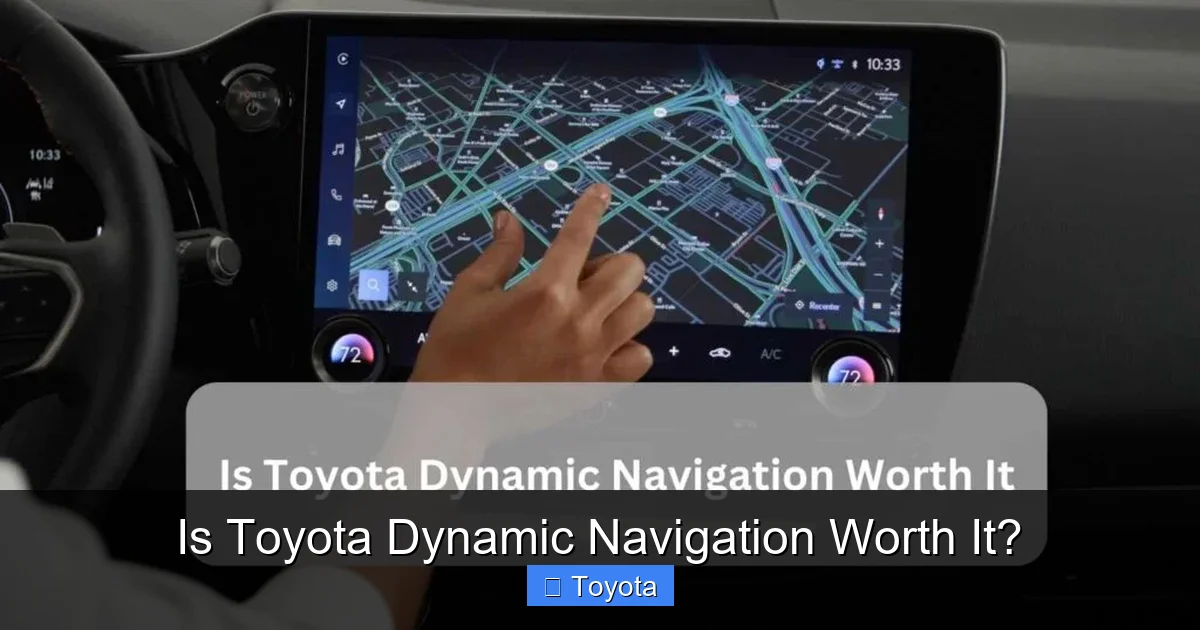
Toyota Dynamic Navigation is a built-in, cloud-connected map system with live traffic, weather, and gas prices. It is handy, but a subscription fee starts after the free trial. For heavy drivers it can shine, while light drivers may prefer free phone maps.
Buying a new Toyota is exciting. But the window sticker is a long list of extras. The sticker gets pricey fast. One line may catch your eye: Toyota Dynamic Navigation. You may wonder, “Do I really need it? My phone already has maps.”
That is a fair question. Toyota Dynamic Navigation is the built-in map system in many newer Toyota cars. It is not a phone app. It uses live data from the cloud. It shows traffic, weather, and gas prices right on the dash screen. It comes on many new models, from SUVs to trucks. But your phone does much of this for free.
So is it worth your money? The honest answer is: it depends on how you drive. This guide breaks it all down. We will keep it plain and simple. We will look at the cost, the features, and the pros and cons. No fluff, no sales talk. By the end, you will know if Toyota Dynamic Navigation fits your life.
Key Takeaways
- Built-In and Connected: Toyota Dynamic Navigation uses live cloud data for traffic, weather, and gas prices.
- Free Trial First: Most cars get a trial. Subscriptions start after it ends.
- No Phone Needed: It works on its own, so a dead phone will not leave you lost.
- Phone Apps Are Still Free: Google Maps and Apple CarPlay cost nothing and have more reviews.
- Best for Heavy Drivers: Commuters and road trippers get the most value from it.
- Test Before You Pay: Use the trial on real routes before you renew.
📑 Table of Contents
Toyota Dynamic Navigation is a smart map system that lives in your car. It is part of the touch screen on the dash. The system links to the internet through the car itself. That link lets it pull in fresh data all day long.
The word dynamic is the key. The system does not just show a map. It reacts to the world around you. Roads change, and your route can change too.
The system also works with your car’s other tools. For example, it can show the nearest stop for gas, food, or charging.
How It Works
Old car nav systems used maps on a disc. You had to buy new discs each year. Toyota Dynamic Navigation is different. It gets map updates over the air. You do not need a USB stick. You do not need a dealer visit. The maps stay fresh on their own.
The system also grows over time. Toyota adds new features through updates. That means your car can get better after you buy it.
The system also reads live traffic. If a crash slows your route, it can reroute you fast. It can show weather on the map. It can even find cheap gas near you. Some models let you send a destination from your phone app before you walk out the door.
What You Get
Here are some of the top features of Toyota Dynamic Navigation:
- Live traffic and rerouting: It finds the fastest way, even as things change.
- 3D maps: Landmarks and buildings pop on the screen.
- Weather overlay: See rain or snow along your route.
- Gas prices: Spot cheap fuel near you.
- Points of interest: Find food, hotels, and charge spots fast.
- Voice search: Say where you want to go, hands-free.
- Phone send: Push a destination from your phone to the car.
- Trip history: See where you have been.
You can also save your favorite spots. If that list gets messy, our guide on how to delete favorites on Toyota navigation can help.
Cost is the big question. Nobody wants a surprise fee. So let us talk money.
The Free Trial
Most of the time, Toyota Dynamic Navigation comes with a free trial. The length changes by model and year. It can last a few years. During the trial, you get all the live features. No fees. No ads. Just maps.
Check your owner’s manual or ask the dealer. They can tell you when your trial ends. Write that date down. It matters more than you think.
After the Trial Ends
When the trial ends, you will need a subscription. Prices change by region and plan. Some plans are yearly. Some are monthly. Before you renew, ask one simple question: “Do I use this enough to pay for it?”
Write the fee in your notes app. That way, it will not surprise you later.
Think about your drives. If you road trip often, it may pay for itself. If you only drive to the store, free phone maps may be fine. There is no shame in either choice.
One more thing. Your phone apps are free, but they need your phone, a mount, and data. Toyota Dynamic Navigation is built in. It works even if your phone is dead or lost. That peace of mind has value too.
Quick math can help with Toyota Dynamic Navigation. If a subscription costs a few dollars a month, ask what that buys you. Is it less stress? Is it faster trips? Only you can set that price.
Also ask about bundles. Some plans pack navigation with other connected services. A bundle can cost less than buying each part alone.
Do not forget to check for offers. Sometimes the dealer adds extra months at signing. Sometimes the brand runs a promo. Small perks can add up.
Some drivers love the system so much they renew without a second thought. Others cancel on day one. Both choices are fine.
Let us compare. On one side, you have the built-in system. On the other, you have Google Maps or Apple Maps on your phone. Both can get you home. But they win in different ways.
Where the Built-In System Wins
- No phone needed: Leave your phone in your pocket. The car has its own link.
- Big screen: The dash screen is easier to glance at than a small phone.
- No battery drain: Your phone stays charged for calls and music.
- Live data: Traffic, weather, and gas prices come straight to the map.
- Clean look: No wires, no mounts, no clutter on the dash.
Where Your Phone Wins
- It is free: No subscription. Ever.
- You know it: Most people already use Google Maps or Apple Maps.
- More reviews: Phone apps have tons of ratings and photos.
- Fast search: Typing on a phone is often quicker.
Here is a tip. You do not have to pick just one. Many drivers use both. They use Toyota Dynamic Navigation for long trips. They use the phone for quick stops. This mix gives you the best of both worlds.
Also think about passengers. A built-in screen lets everyone see the plan. Kids in the back seat can see the next stop too.
Think about a real example. You drive to a new town. The built-in system shows the route, traffic, and weather. When you park, your phone takes over for walking. Each tool does its job well.
One more point: safety. A built-in screen sits where you expect it. You glance up, not down at a phone on the seat. Small things like this matter on long drives.
If you love Google Maps, you can still use it in the car. Our guide on how to connect Google Maps to Toyota navigation walks you through it. And if you like CarPlay, check our article on whether the Toyota Corolla has Apple CarPlay. Both tools can live together just fine.
Pros and Cons at a Glance
Still on the fence about Toyota Dynamic Navigation? Here is a quick list of the good and the bad.
The Good
- Maps update over the air, so they stay fresh.
- Live traffic helps you dodge jams.
- Weather and gas prices sit right on the map.
- It works without your phone.
- Voice search keeps your eyes on the road.
You can even pick a voice you like. Our tips on how to change the voice on Toyota navigation show you how.
The Not-So-Good
- You pay a subscription after the trial.
- It can feel slower than phone apps at times.
- Fewer reviews and photos than big phone apps.
- Not every Toyota model has it.
- You may not need it if you drive little.
Look at both lists. For some people, the good list is long. For others, the bad list wins. Neither side is wrong. Take a photo of both lists with your phone. Then look at them after your test drive.
If you decide to try it, good call. Here are simple tips to get full value from Toyota Dynamic Navigation.
Keep It Fresh
- Install updates: Say yes to map and software updates.
- Sign in: Link your account so settings sync.
- Check your trial: Note the end date in your phone.
Fresh maps mean better routes. A quick update can fix odd detours and old roads. It can also add new places to eat or sleep.
Set It Up Your Way
- Save home and work: One tap and you are off.
- Save favorites: Add the gym, the mall, and mom’s house.
- Learn voice commands: Say “find gas” or “go home.”
- Set avoidances: Skip tolls or highways if you want.
Set your home and work spots the first day. It saves time later.
Plan stops before you leave. Add food, gas, or rest stops to the route. It makes long drives calmer.
Also, try the search bar. Type a city, a street, or a place. See how fast it answers.
Try this test. On your next commute, let Toyota Dynamic Navigation pick the route. See if it beats your usual way. You may find a shortcut you never knew.
Do not forget the voice button. It is on the wheel in most cars. Press it, speak your stop, and keep your hands on the wheel.
One last tip. Keep the screen clean and bright enough to read. A map you can see is a map that helps you.
So, is Toyota Dynamic Navigation worth it? For many drivers, yes. But it is not for everyone. Let us break it down.
Buy It If…
- You drive a lot, each day or on long trips.
- You want live traffic without touching your phone.
- You hate cords, mounts, and clutter.
- You share the car, and others need maps too.
Skip It If…
- You mostly drive short, known routes.
- You are happy with free phone maps.
- You do not want another subscription bill.
- You only use maps a few times a month.
Your budget matters too. A small fee is easy to ignore. A big fee is not. Only you know your numbers.
One more thought. Tech changes fast. A system that fits you today may feel old in three years. Keep that in mind when you sign up.
Here is the best move. Use the free trial hard. Test it on real drives. Try it in rain, in traffic, and on road trips. When the trial ends, you will know the truth. Keep it if you love it. Drop it if you do not.
And remember, you can change your mind later. If the fee feels wrong, drop the service. Your car still drives just fine.
Ask friends who own the same car. Their real-world tips help. Online forums are full of answers too.
The bottom line: Toyota Dynamic Navigation is a strong tool, not magic. For busy families and daily commuters, the live traffic and ease of use can win. For light drivers, free phone apps are fine. Either way, you now have the facts. Test it, time it, and let your own routes decide. Either choice is smart if it fits your life.
Frequently Asked Questions
Is Toyota Dynamic Navigation free to use?
It usually starts with a free trial. The trial length changes by model and year. After that, you pay a subscription to keep the live features.
Can I use Toyota Dynamic Navigation without my phone?
Yes. The system uses the car’s own internet link. Your phone can stay in your pocket or at home.
How do I update the maps in Toyota Dynamic Navigation?
Most updates come over the air. Say yes when the car asks. You can also check the settings menu for new map and software updates.
Does Toyota Dynamic Navigation show live traffic?
Yes. It shows traffic on the map and can reroute you around jams. It also adds weather and gas prices in many areas.
Can I still use Google Maps or Apple CarPlay?
In most cases, yes. Many drivers use both systems side by side. Phone apps are free and have more reviews, so they make a good backup.
What happens when my free trial ends?
You will need a paid subscription for the live features. What still works after that changes by model. Ask your dealer for the details on your car.


